MoAI-Note AI Transcription
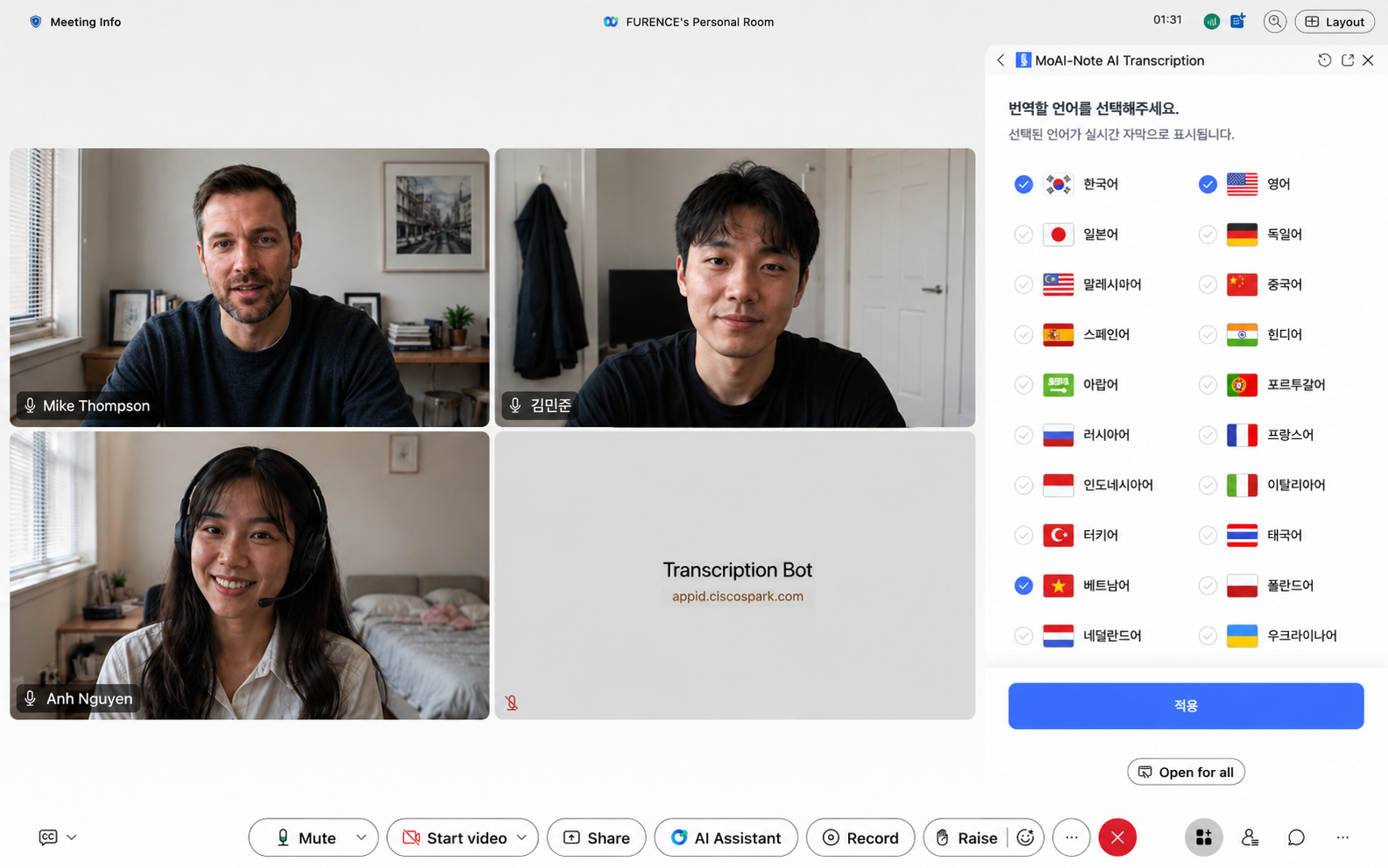
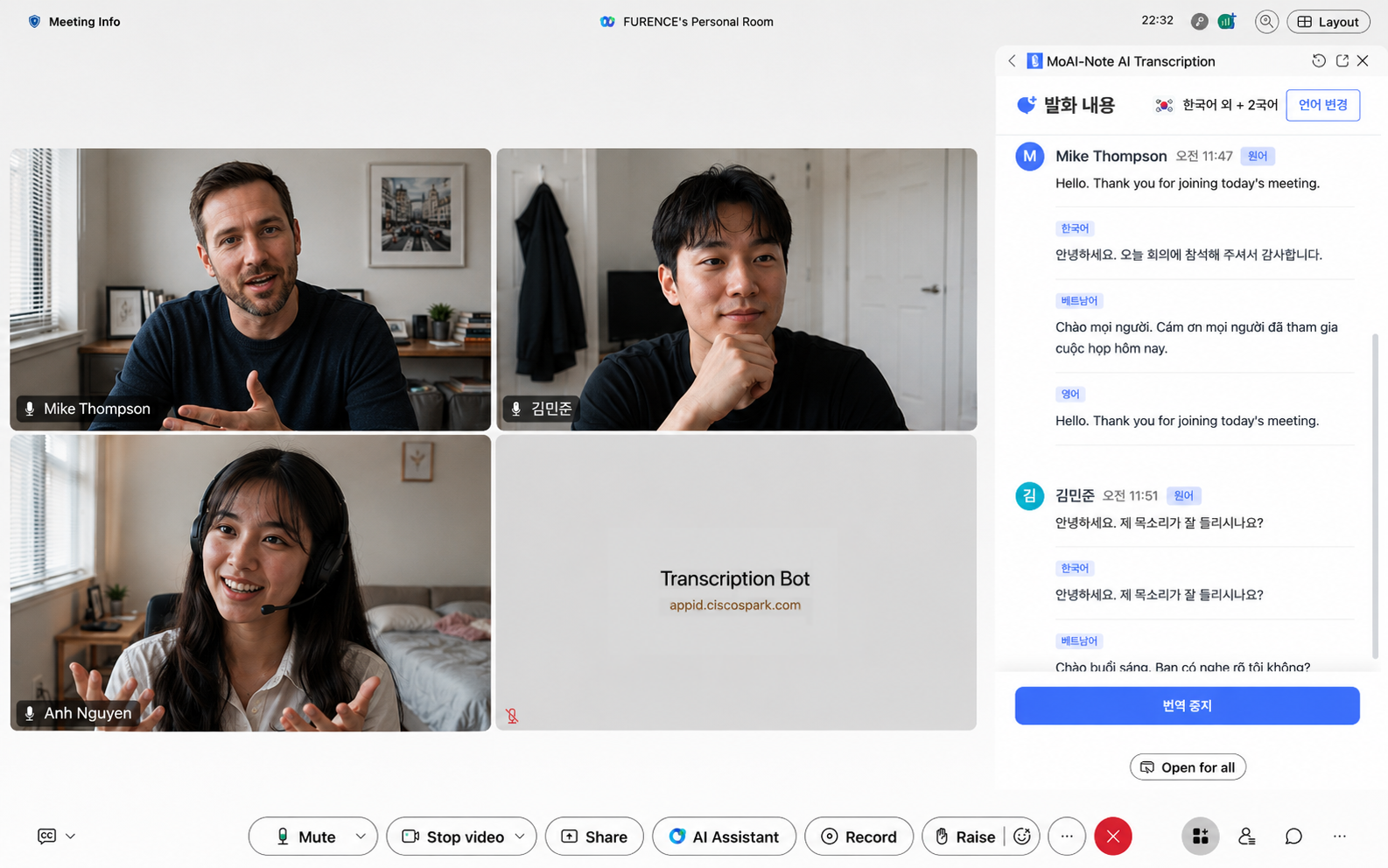
MoAI-Note Transcription delivers AI-powered real-time meeting captions for Webex using advanced Speech-to-Text (STT) technology.
MoAI-Note AI Transcription
MoAI-Note Transcription delivers AI-powered real-time meeting captions for Webex using advanced Speech-to-Text (STT) technology.
MoAI-Note AI Transcription provides real-time meeting transcription and translation for Cisco Webex using Speech-to-Text (STT) technology.
How to Get Started
To use the app, you need a MoAI account and a paid Cisco Webex account. Your Webex account must also be linked to your MoAI account.
To create a MoAI account, contact help@moai-note.ai. Our team will assist with account creation and setup.
Webex setup guide: https://furence.gitbook.io/moai_b2b/moai-web/1/webex/webex-integration-initial-setup
Pricing
Free to use, including up to 300 transcription minutes per month.
Account Requirements
- MoAI account (3rd-party account)
- Paid Cisco Webex account
How to Use
- Start or join a Webex meeting.
- Open MoAI-Note AI Transcription from Apps.
- Click Start to launch the bot.
- Admit the bot when prompted.
- Transcription and translation will begin automatically.
Support


Categories
MoAI-Note AI Transcription provides real-time meeting transcription and translation for Cisco Webex using Speech-to-Text (STT) technology.
How to Get Started
To use the app, you need a MoAI account and a paid Cisco Webex account. Your Webex account must also be linked to your MoAI account.
To create a MoAI account, contact help@moai-note.ai. Our team will assist with account creation and setup.
Webex setup guide: https://furence.gitbook.io/moai_b2b/moai-web/1/webex/webex-integration-initial-setup
Pricing
Free to use, including up to 300 transcription minutes per month.
Account Requirements
- MoAI account (3rd-party account)
- Paid Cisco Webex account
How to Use
- Start or join a Webex meeting.
- Open MoAI-Note AI Transcription from Apps.
- Click Start to launch the bot.
- Admit the bot when prompted.
- Transcription and translation will begin automatically.